
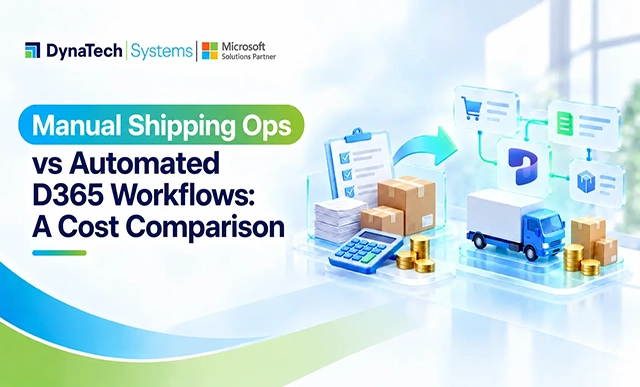
The article discusses how the hidden costs of manual shipping operations in e-commerce often outweigh carrier rates, driven by labor-intensive order processing and fulfillment tasks, and argues that automating these workflows with Dynamics 365 can significantly reduce operational expenses as businesses grow.
Shipping rarely becomes expensive because of the carrier rate alone. The bigger costs often come from what happens behind the shipment: people entering orders, checking stock, updating systems, correcting errors, chasing fulfillment status, and reconciling information that should have moved automatically.
For businesses managing growing e-commerce operations, these activities can quietly turn into a significant operating expense. According to Market.us,80% of warehouses globally are still running manual, non-automated operations, highlighting how much of the industry continues to depend on processes that require significant human intervention. Effective inventory management for e-commerce therefore depends not only on knowing what is in stock, but also on how efficiently orders, inventory, warehouse activity, and fulfillment data move through the business.
This is where the difference between manual shipping operations and automated Dynamics 365 workflows becomes clear. Manual processes may appear economical when order volumes are low. As volume increases, however, labor and error costs become harder to absorb. Automated D365 workflows take a different approach by connecting order management, inventory, warehouse operations, and fulfillment within a structured process.
The real question is not whether automation costs more upfront. It is where the total cost of each approach lands as the business grows.
Where Manual Shipping Operations Start Adding Up
The problem with manual shipping is not usually one major expense. It is the accumulation of small tasks around every order. As order volumes increase, activities that once required only a few minutes per transaction can consume a significant amount of employee time.
Order Entry and Verification
Orders may need to be reviewed, entered into the ERP, and checked against customer, product, and payment information. Repeating these steps across a high order volume increases labor requirements and creates more opportunities for data entry errors. This is where order entry automation can reduce repetitive work by moving order information through predefined processes instead of relying on repeated manual entry.
Inventory Checks
Warehouse teams may have to verify available stock before an order can move forward. When inventory information is spread across e-commerce and ERP systems, these checks take longer and can still result in inaccurate availability. The resulting discrepancies can create additional work for both customer service and warehouse teams.
Shipment Processing
Creating shipments, entering carrier information, printing labels, and updating order status can involve several manual handoffs. Each additional step adds processing time and makes it harder to maintain consistent order status across systems. A Dynamics 365 Shipping Carrier Connector can bring carrier rate lookup, label generation, and tracking updates into the ERP instead of spreading them across separate carrier portals. For businesses handling growing order volumes, automated order processing can reduce the amount of repetitive coordination required between order and shipping activities.
Corrections and Reconciliation
The cost becomes more visible when something goes wrong. An incorrect quantity, failed update, or mismatched order can require someone to investigate the issue, correct the records, and reconcile the affected transactions.
For businesses managing warehouse inventory management across multiple locations or higher order volumes, these activities can become a recurring operating cost rather than occasional administrative work. The more orders a team processes, the more significant that dependency on manual effort becomes.
The Hidden Cost of Manual E-commerce Inventory Management
Manual shipping processes do not operate in isolation. They affect how inventory is recorded, allocated, replenished, and reported across the business.
When an order is processed manually, inventory may need to be updated across multiple systems. A delay between the sale and the inventory update can leave e-commerce teams working with outdated stock availability, while warehouse teams may have a different view of the same stock.
The cost can show up in several places:
- More administrative labor: Employees spend time updating records and reconciling transactions instead of handling higher-value work.
- Inventory discrepancies: Delayed or incorrect updates make it harder to know what is actually available.
- Overselling and stockouts: Inaccurate availability can lead to orders for products that cannot be fulfilled or missed sales when available stock is not reflected online.
- Slower fulfillment: Warehouse teams may have to wait for order information or manually verify details before picking and shipping.
- Limited visibility: Managers lack a dependable, current view of inventory across e-commerce and warehouse operations.
For businesses managing complex inventory and warehouse operations, Dynamics 365 Supply Chain Management can connect inventory processes with broader fulfillment workflows.
For businesses evaluating warehouse management system cost, the software price is only one part of the calculation. The labor required to maintain inventory records, reconcile transactions, investigate discrepancies, and coordinate warehouse activity also contributes to the overall cost of managing fulfillment operations.
This is why inventory management for e-commerce should be evaluated as part of the entire order-to-fulfillment process. Improving the shipping workflow without addressing the inventory information behind it only moves the problem from one step to another.
What Changes When Dynamics 365 Takes Over the Workflow?
Automation changes the role of the shipping team. Instead of moving information from one system to another, people can focus on exceptions while Dynamics 365 handles routine activities through connected workflows. This is where fulfillment automation can reduce repetitive coordination across order, inventory, warehouse, and shipping processes. AI-powered shipping agents in Dynamics 365 can extend this approach by supporting shipping-related activities within the broader workflow.
Orders Move Without Re-Entry
With Dynamics 365 order management, orders can flow into the appropriate business process without employees repeatedly entering the same information. Order details, customer information, products, and fulfillment requirements remain connected throughout processing. This supports order management automation by reducing repetitive data handling between connected processes.
Inventory Updates Follow the Transaction
When inventory and order processes are connected, stock movements can be reflected as transactions occur. This gives teams a more reliable view of availability and reduces the need for manual inventory adjustments. With Dynamics 365 warehouse management, inventory movements and warehouse activities can be managed as part of connected operational processes.
Warehouse Tasks Become Part of the Same Process
Picking, packing, shipment preparation, and fulfillment updates can be connected to the underlying order rather than managed as separate activities. This is particularly valuable for businesses operating multiple warehouses or handling high order volumes. E-commerce fulfillment automation can help coordinate these activities while reducing the manual handoffs between order processing and warehouse teams.
Shipping Status Flows Back to the Customer
Once fulfillment information is captured, shipment and order status can be synchronized back to the e-commerce channel. Customers and service teams can therefore access more current information without requiring someone to update multiple systems manually.
The result is not simply fewer clicks. It is fewer handoffs between people and systems, which is where much of the friction in manual shipping operations originates.
Manual vs. Automated D365 Workflows: Where Does the Cost Difference Come From?
The cost difference becomes clearer when the two approaches are compared across the same operational activities.
| Cost Area | Manual Shipping Operations | Automated D365 Workflows |
| Order processing | Employees enter and verify order information | Orders move through predefined workflows |
| Inventory updates | Stock may require manual adjustments or reconciliation | Inventory updates follow connected transactions |
| Warehouse operations | Teams coordinate tasks across systems | Warehouse activities are connected to order workflows |
| Shipment processing | Shipping details and status may require repeated entry | Fulfillment and shipment information can be synchronized |
| Error correction | Staff investigate and correct mismatched records | Exceptions can be identified through workflow monitoring |
| Scalability | Higher volumes generally require more manual effort | Automation can handle increased transaction volumes without adding the same level of administrative work |
The important difference is not that automation eliminates every operational cost. It changes where the cost sits. Manual operations place more of the workload on people and repeated administrative tasks. Automated workflows shift that effort toward system configuration, monitoring, and exception management.
For organizations evaluating an order fulfillment system or e-commerce ERP solution, this distinction matters when calculating the total cost of running fulfillment operations rather than comparing software costs alone.
What Does the Cost Comparison Look Like in Practice?
The difference between manual shipping and automation becomes clearer when the operational workload is translated into actual costs. The following example is illustrative rather than an industry benchmark. It shows how businesses can compare labor-intensive shipping operations with an automated Dynamics 365 workflow using their own order volume, labor rates, and processing times.
Consider an e-commerce business processing 10,000 orders per month. Assume manual order entry, verification, shipment processing, and reconciliation require an average of 8 minutes of employee time per order, at an assumed loaded labor cost of $25 per hour.
| Cost Factor | Manual Shipping Operations | Automated D365 Workflows |
| Monthly orders | 10,000 | 10,000 |
| Average manual processing time | 8 minutes/order | 2 minutes/order* |
| Monthly labor hours | 1,333 hours | 333 hours |
| Assumed labor cost | $25/hour | $25/hour |
| Monthly processing labor | $33,333 | $8,333 |
| Illustrative monthly labor difference | $33,333 | $8,333 |
The automated figure is an illustrative assumption representing exception handling and activities that still require employee involvement. Actual time savings will vary by workflow, integrations, order complexity, and level of automation.
Under these assumptions, the manual model requires approximately 1,000 additional labor hours per month, representing an illustrative labor-cost difference of about $25,000 per month before accounting for inventory discrepancies, shipment errors, rework, or other operational costs.
This does not mean every business will achieve the same savings through shipping automation. The actual business case depends on how much of the order-to-fulfillment process can be automated, the organization’s labor costs, existing systems, implementation investment, and the complexity of its shipping operations.
The value of the comparison is therefore not the specific dollar figure. It is the method. Businesses can replace the assumptions above with their own order volume, processing time, labor cost, error rate, and automation investment to determine whether order fulfillment automation can produce a measurable return.
When Does D365 Workflow Automation Become Cost-Effective?
Automation does not make financial sense simply because a process is manual. The business case becomes stronger when repetitive shipping activity starts consuming a meaningful share of operational time and the cost of managing those activities begins to increase with order volume.
Several factors should be considered before investing in shipping automation:
- Order volume: More transactions mean more time spent on repetitive processing, making automation increasingly valuable as volumes grow.
- Labor dependency: If additional order volume requires additional administrative or warehouse effort, automation can change that cost curve by moving routine activities into connected workflows.
- Error frequency: Repeated order or inventory errors create correction costs that are easy to overlook. The more frequently these errors occur, the greater the potential value of reducing manual intervention.
- Warehouse complexity: Multiple locations, fulfillment rules, and sales channels increase the value of connected workflows and can make manual coordination increasingly difficult.
- Growth plans: A process that works at today’s volume may become a bottleneck as the business expands. Automation should therefore be evaluated against expected transaction growth rather than current activity alone.
This is where Dynamics 365 inventory management and automated order workflows can become more valuable than simply reducing manual data entry. The objective is to create a process that can handle higher transaction volumes without increasing administrative effort at the same rate.
For businesses assessing the broader investment, ERP software cost considerations should be evaluated alongside labor, implementation, integration, maintenance, and operational costs rather than in isolation.
For businesses evaluating automation, the right comparison is therefore not manual cost versus software cost. It is the total cost of operating each model over time.
DynaTech-helps-modernize-ecommerce-shipping-operations">How DynaTech Helps Modernize E-commerce Shipping Operations
Manual shipping operations can remain workable at lower volumes, but the cost structure changes as orders, warehouses, and fulfillment requirements become more complex. Labor, inventory discrepancies, repeated data entry, and shipment corrections can gradually become a larger operating expense than they initially appear.
The right approach is not to automate every activity simply because automation is available. Businesses should identify where repetitive work is consuming employee time, where disconnected processes are creating errors, and where growing order volumes are increasing operational costs. From there, Dynamics 365 automation can be applied to the processes where it can deliver measurable operational value.
For e-commerce businesses, this can include connecting order management, inventory, warehouse operations, shipping, and fulfillment through a unified e-commerce ERP connector. The objective is to create a more consistent flow of information rather than adding another isolated system to the existing technology environment.
DynaTech helps organizations assess their current shipping and fulfillment processes, identify opportunities for automation, and design connected Dynamics 365 workflows around their operational requirements. As a Microsoft Dynamics 365 Partner, we help businesses move from manual processes toward scalable workflows that can support growing transaction volumes while maintaining operational control.
Ready to evaluate where shipping automation can reduce your operational costs? Talk to DynaTech about your Dynamics 365 workflow strategy.